
It is vital to keep a backup of your phone contact if you want to recover it in case you lose your phone. There some ways that will help you export contacts on Android Phone.
Thankfully, built-in features on Android Phones will help you export/import contacts while you count as 5-4-3-2-1 and 0.
This tool is extremely helpful if you are considering migrating your phone from one to another.
While, Google Play offers different apps that will help you to export/ import phone contacts
However, with Android Phone’s built-in feature. You can export/import phone contacts without installing any additional apps.
HOW TO EXPORT CONTACTS ON ANDROID PHONE
You can follow two vital steps to export/import contacts of Android phones.
Step 1
In this step, you must visit the menu option from your phone. Then select Contacts; while in the Contacts, tap on the three Dot icon and select Manage contacts.
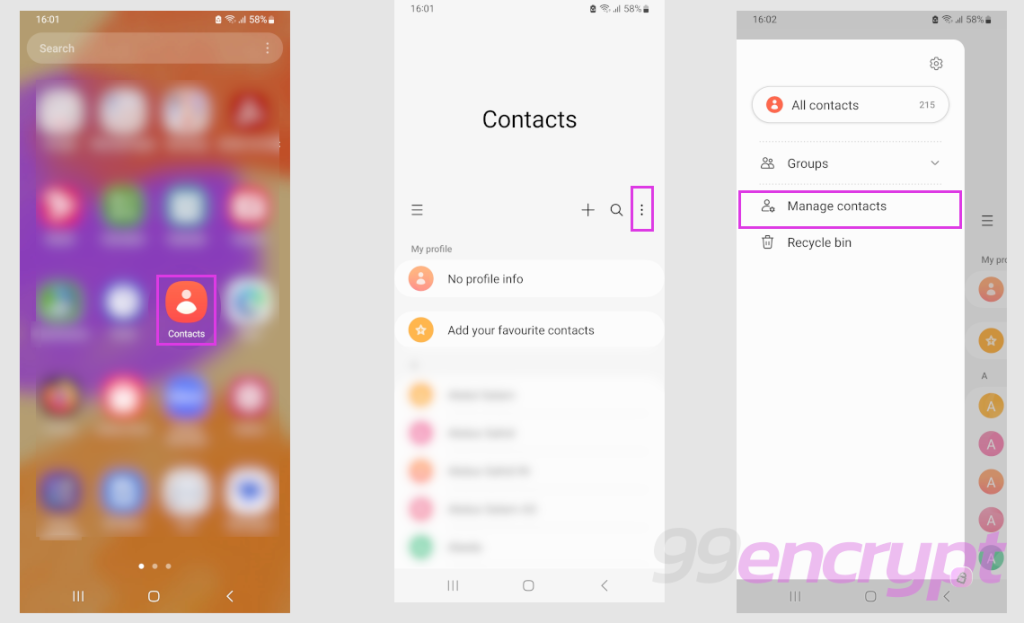
You have option to export from Contact option on Android Phone (99encrypt)
From the Manage Contacts option, select Export Contacts. While you choose this step, it will allow you to export contacts into one of the directories.
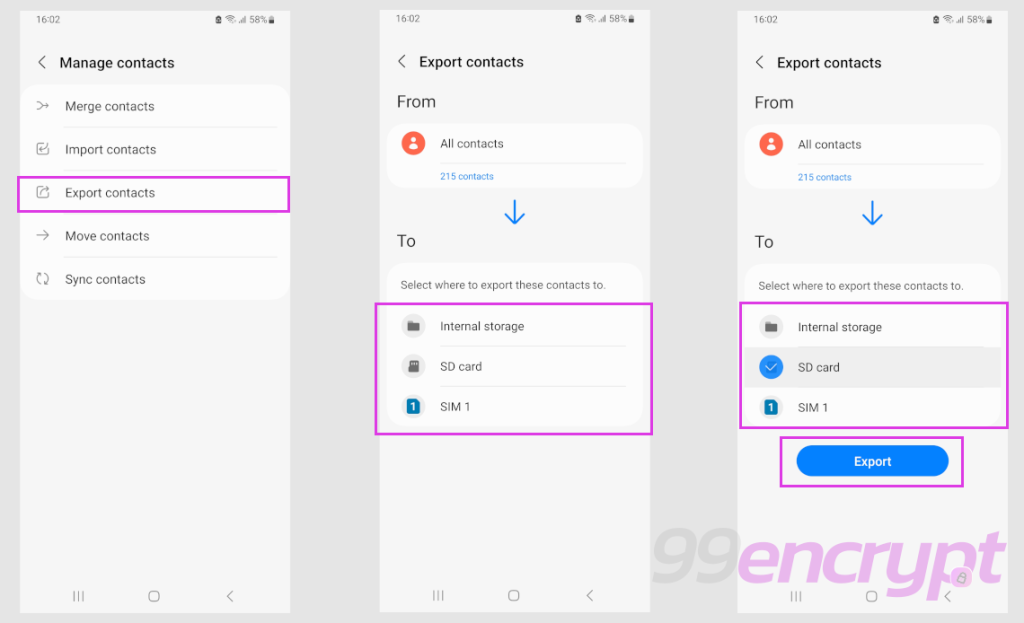
Select the location of the directory where you want to export contacts on Android Phone (99encrypt)
Once you have confirmed where to save, tap on Export.
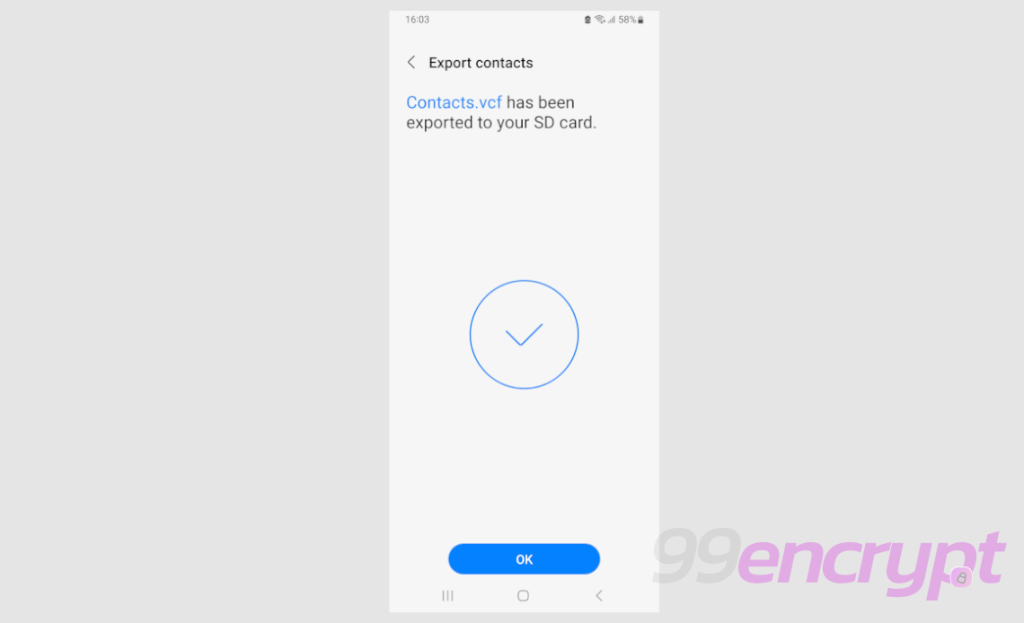
Once the steps are successful you will be able to export Contacts on Android phone (99encrypt)
You will be able to export all contacts of your phone.
Step 2
From your phone’s home screen, select the Phone icon and tap on three dots once a list of options appears.
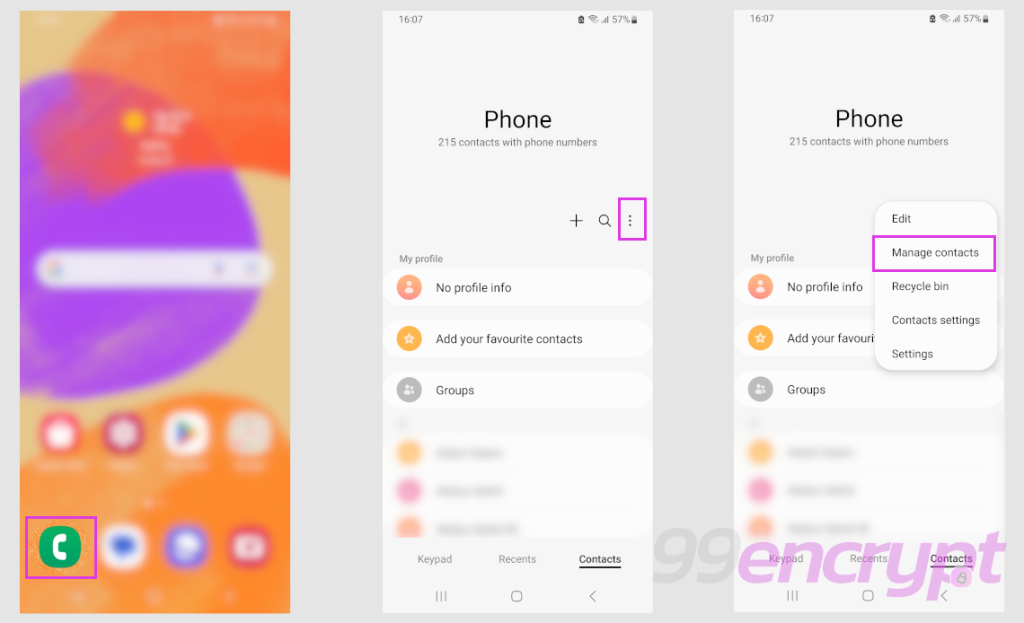
With phone option you can also export contacts on Android phone (99encrypt)
Then select manage contacts and follow the steps of Step 1.
HOW TO IMPORT CONTACTS FROM PHONE LOCATION
If you wish to import contacts from the saved directory, then follow one of the options from Step 1 or Step 2 to access the phone-book.
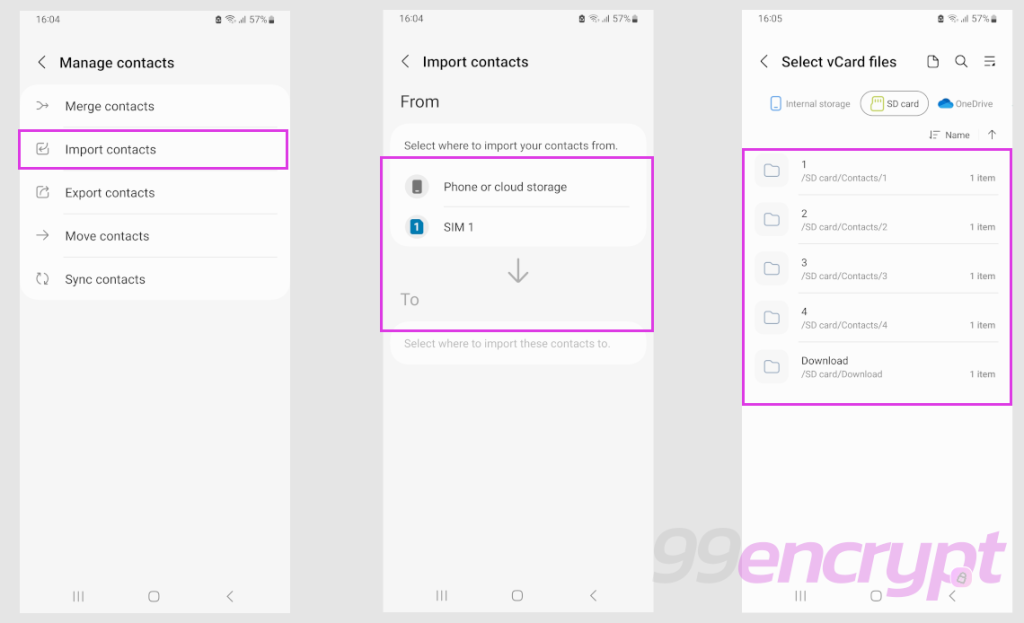
Importing contacts on Android phone (99encrypt)
Then, in the Manage Contacts, select Import Contacts and select the location where you previously saved your phone contacts.
Once you select the location, it will automatically import the contacts.